Understanding Computer Basics
To effectively utilize a computer for personal use, it is essential to understand the fundamental components that comprise a computer system. This includes both hardware and software, which work harmoniously to execute various tasks.
The hardware component consists of physical elements of the computer. The most critical hardware part is the Central Processing Unit (CPU), often referred to as the brain of the computer. It is responsible for processing instructions and performing calculations. Next, Random Access Memory (RAM) plays a crucial role in enabling short-term data storage, allowing your computer to operate smoothly as it executes tasks.
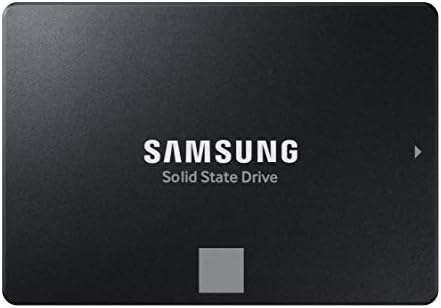
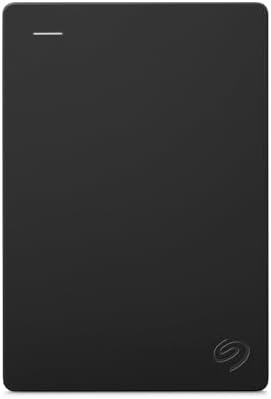
Additionally, hard drives—whether traditional hard disk drives (HDDs) or solid-state drives (SSDs)—serve as the primary storage for software and personal files. Hard drives securely store the operating system, applications, and user data. Each hardware component is vital to the computer’s overall efficiency and performance in personal computing contexts.


Moving onto the software aspect, the operating system (OS) is the core program that manages computer hardware and software resources. It provides the necessary environment for other applications to run. Common operating systems used today include Windows, macOS, and Linux, each offering unique features suited to different user needs.
Lastly, applications are software designed to help users complete specific tasks, such as word processors, web browsers, or multimedia editors. Understanding how these applications interact with the operating system and utilize the hardware is fundamental for effective personal computing.
Choosing the Right Computer for Your Needs
When it comes to selecting the right computer for personal use, understanding your individual needs plays a crucial role. Computers come in various forms, including desktops, laptops, and tablets, each designed for specific functions and user scenarios. The first step in choosing the appropriate computer is to evaluate your performance requirements. If your primary use involves basic tasks such as web browsing, email, and document editing, a budget-friendly laptop or tablet may suffice. However, for more demanding applications like gaming or professional software, a higher-spec desktop or laptop is recommended.
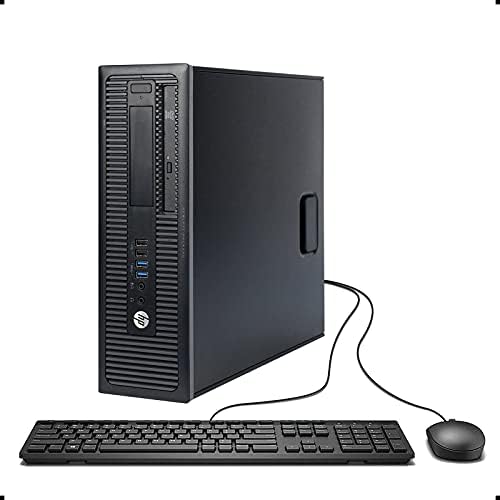
Portability is another significant factor to consider. If you are frequently on the move or require a device for various locations, a lightweight laptop or tablet offers the convenience of portability. In contrast, if your computing needs occur mainly at a fixed location, a desktop computer could provide better performance and upgradeability options.


Price range also heavily influences the decision-making process. Assessing your budget against the features you require ensures that you find a solution which balances cost effectiveness and capability. Keep in mind that cheaper options may compromise on performance, while higher-end models, though pricier, can significantly enhance your computing experience.
Lastly, your specific usage needs are paramount in guiding your choice. For instance, gamers should prioritize a computer with a powerful graphics card and high processing speed, while professionals might seek machines that offer enhanced multitasking capabilities and storage solutions. By considering performance requirements, portability, price, and specific usage scenarios, you can make an informed decision that suits your individual computing needs.
Essential Software for Personal Use
When setting up a personal computer, choosing the right software is crucial to maximizing efficiency and enhancing user experience. The software landscape can be categorized into several essential areas: operating systems, productivity tools, security software, and multimedia applications.
Firstly, the operating system (OS) serves as the foundation of any computer. Popular choices include Windows, macOS, and Linux, each offering unique features and interfaces. Windows is widely used for its compatibility with various applications, while macOS is favored for its integration with Apple devices. Linux, though less common, remains a powerful choice for tech-savvy users looking for an open-source alternative.
Secondly, productivity tools are essential for personal use, particularly for those who work, study, or manage daily tasks. Office suites, such as Microsoft Office or Google Workspace, provide applications for word processing, spreadsheets, and presentations. Additionally, note-taking applications like Evernote or OneNote cater to users seeking a structured way to organize information. These tools can significantly enhance productivity, making daily tasks more manageable.
Moreover, security software is indispensable in today’s digital landscape. Antivirus programs protect against malware and viruses, while firewalls enhance network security. Popular options include Norton, McAfee, and AVG. Incorporating these security measures is vital to safeguard personal data and maintain system integrity.


Finally, multimedia applications, such as photo and video editing software, are increasingly vital for personal projects and social media engagement. Tools like Adobe Photoshop for image editing and Adobe Premiere Pro for video production can cater to both amateur and professional users. Selecting the right software in these categories hinges on individual needs and specific tasks. Evaluating functionality, compatibility, and user support can guide users toward making informed choices.
Importance of Regular Maintenance
Maintaining a computer is essential for ensuring its performance, security, and longevity. Regular maintenance practices, such as software updates, disk clean-ups, and malware scans, play a vital role in achieving optimal functioning. One of the first steps in maintaining a computer is to keep the operating system and applications up to date. Software updates often include security patches that protect against vulnerabilities, ensuring the system remains secure from potential threats.
Another crucial aspect of computer maintenance is performing regular disk clean-ups. Over time, unnecessary files and temporary data can accumulate, slowing down your computer’s performance. By utilizing built-in tools or third-party applications to clear out these files, users can free up valuable disk space and enhance the operating speed of their systems. Routine checks on storage devices can help optimize performance and prolong the lifespan of components.
Furthermore, conducting malware scans is a fundamental practice that every computer user should prioritize. Malware can severely impact system performance and compromise sensitive information. By regularly scanning for viruses, spyware, and other malicious software, users can protect their data and maintain a secure environment. Scheduling these scans to occur automatically can facilitate a proactive approach to security and reliability.
Incorporating these practices into a regular maintenance routine not only ensures that your computer runs efficiently but also safeguards against unforeseen issues that may arise from neglect. By fostering a habit of maintenance, users can significantly improve their computing experience, thereby maximizing productivity and minimizing frustration. Thus, it is imperative that computer users implement these strategies consistently for better performance and security.
Data Backup and Recovery Solutions
In today’s digital age, data backup is an essential practice for personal computer users. The importance of safeguarding personal files, photos, and essential documents cannot be overstated. Data loss can happen due to various unforeseen circumstances such as hardware failure, accidental deletion, or malware attacks, making it imperative to have a reliable backup solution in place.
One of the most effective methods of ensuring data safety is through cloud storage. Services such as Google Drive, Dropbox, and Microsoft OneDrive offer users the ability to store their critical files securely online. Cloud storage not only allows for easy access from multiple devices but also provides automatic backup features, ensuring that files are updated in real-time. This methodology can provide peace of mind, knowing that documents are safe in a remote, secure environment.
In addition to cloud solutions, the use of external hard drives remains a popular choice for personal data backup. External hard drives can offer large quantities of storage at a relatively low cost. Users can schedule regular backups using software tools that automate the process, minimizing the chance of human error and ensuring timely copies of data are always available. Moreover, external storage remains useful during situations where internet connectivity might be limited or data transfer speeds are slow.
While preparing a robust backup strategy is essential, being equipped with data recovery solutions is equally paramount. Users should familiarize themselves with recovery software that can help restore lost or corrupted files. Implementing preventive measures, such as maintaining up-to-date antivirus software and regularly reviewing backup routines, can further enhance data security. By integrating these practices, personal computer users can minimize data loss risk and recover efficiently from incidents, ensuring that their digital lives remain intact.
Understanding Computer Security Risks
In today’s digital age, understanding the security risks associated with personal computers is essential for safeguarding sensitive information and maintaining privacy. Common threats include viruses, phishing attacks, and identity theft, all of which can lead to significant negative consequences for users.
Viruses are malicious software programs that can replicate themselves and spread from one computer to another, often causing damage to files and systems. Such threats can be mitigated through the installation of reputable antivirus software, which offers real-time protection and regular updates to combat new threats. Regularly scanning your computer for viruses and malware is a crucial aspect of maintaining a secure computing environment.
Phishing attacks represent another prevalent threat, targeting individuals to trick them into revealing personal information, such as passwords or credit card details. These attacks often come in the form of emails that appear legitimate but contain links to fraudulent websites. To avoid falling victim to these schemes, users should be vigilant about verifying the sender’s identity and should avoid clicking on suspicious links or downloading unknown attachments.
Identity theft is a grave concern in the realm of computer security, where an attacker steals an individual’s personal information to impersonate them. This can lead to financial loss and reputational damage. Protecting against identity theft involves implementing strong password practices, enabling two-factor authentication, and regularly monitoring financial statements for any unauthorized transactions.
In conclusion, by understanding these common computer security risks and adopting effective protective measures, users can enhance their personal computer security. Staying informed and using proper security software play critical roles in defending against these evolving threats. Regular education on security tactics and updates on the latest risks can significantly enhance one’s ability to thwart potential attacks.
Internet Browsing Tips and Best Practices
In today’s digital age, safe and efficient internet browsing is essential for personal computer users. The first step in ensuring a smooth browsing experience is selecting a reputable web browser. Popular choices include Google Chrome, Mozilla Firefox, and Microsoft Edge, each offering unique features, security options, and user-friendly interfaces. It is advisable to choose a browser that aligns with your specific needs and preferences, and ensure that it is regularly updated to protect against security vulnerabilities.
Another vital aspect of safe internet browsing is managing your passwords. Employing a password manager can enhance security by generating and storing strong, unique passwords for each of your accounts. This practice helps mitigate the risk of unauthorized access and ensures that your sensitive information remains secure. Additionally, enabling two-factor authentication (2FA) wherever possible adds an additional layer of security to your online accounts, making it harder for malicious actors to gain access.
Recognizing secure websites is crucial when browsing the internet. Before entering any personal information, check for a padlock symbol in the address bar, indicating that the site employs HTTPS. This encryption protocol protects data exchanged between your browser and the website. Furthermore, be cautious of unsolicited pop-ups or prompts that ask for sensitive information, as these could be phishing attempts designed to trick you into divulging personal data.

- ALL-EXPANSIVE VIEW: The three-sided borderless display brings a clean and modern aesthetic to any working environment; I…
- SYNCHRONIZED ACTION: AMD FreeSync keeps your monitor and graphics card refresh rate in sync to reduce image tearing; Wat…
- SEAMLESS, SMOOTH VISUALS: The 75Hz refresh rate ensures every frame on screen moves smoothly for fluid scenes without la…
Lastly, while exploring the vast expanse of the internet, staying vigilant against malware and other threats is important. Utilize reputable antivirus software to scan for potential threats, and avoid downloading files from unknown sources. Regularly updating your operating system and software can also help safeguard against vulnerabilities that may be exploited by cybercriminals.
Enhancing Productivity with Your Computer
To boost productivity using a personal computer, it is essential to adopt effective strategies and utilize appropriate tools. Organizing one’s workspace digitally and physically can significantly impact focus and efficiency. Start by decluttering your physical area, which helps reduce distractions. A clean desk promotes clarity of thought and makes the work process smoother.
Time management plays a crucial role in enhancing productivity. One popular technique is the Pomodoro Technique, which involves working in focused intervals, typically 25 minutes followed by a short break. This method keeps your mind fresh and motivates individuals to maintain high levels of concentration over longer periods. Utilizing a timer app or a simple alarm can help in adhering to this technique.


Moreover, leveraging productivity tools is vital. Numerous applications can aid in task management, such as Trello, Asana, or Microsoft To Do. These tools help you prioritize tasks, set deadlines, and track progress, providing a clear overview of responsibilities. Furthermore, using note-taking applications like Evernote or OneNote ensures that important information is captured effectively and organized in a logical manner.
Setting up a distraction-free workspace is paramount for maximizing productivity. This may involve using tools such as website blockers during critical work periods to minimize online distractions. Additionally, silencing notifications on both your computer and smartphone can create an environment conducive to focused work.
Lastly, it is beneficial to establish a regular routine that reinforces productive habits. Allocating specific periods for particular tasks fosters discipline and ensures efficient time use. By adopting these approaches—effective time management, using productivity tools, and maintaining a distraction-free workspace—individuals can significantly enhance their productivity and achieve their personal and professional goals more effectively.
Keeping Up with Technology Trends
In the ever-evolving world of personal computing, staying abreast of technological trends is paramount for users looking to maximize their computing experience. The landscape of technology is characterized by rapid innovation, which influences everything from hardware capabilities to software applications.
Emerging technologies, such as artificial intelligence (AI), machine learning, and cloud computing, are reshaping how personal computing is approached. For instance, AI-driven applications can enhance productivity by automating repetitive tasks, while cloud services offer vast storage solutions that facilitate easy access to data from multiple devices. With the continued growth of the Internet of Things (IoT), an increasing number of personal devices are becoming interconnected, necessitating users to adapt to new ways of managing technology.
Software trends are also pivotal in this discussion. Regular updates and new releases can vastly improve function and security. Familiarity with popular operating systems and applications is crucial, as they tend to receive frequent updates that address performance issues and offer new features. Furthermore, it’s essential for users to understand the implications of software compatibility, which can affect the usability of applications across various devices.
To keep pace with these advancements, users should actively seek out knowledge through online resources, workshops, or tutorials. Engaging with technology forums or communities can provide additional insights into the latest trends and tools. By fostering a mindset that embraces change, personal computer users can not only adapt to new technologies but also leverage them to enhance their productivity and overall experience.